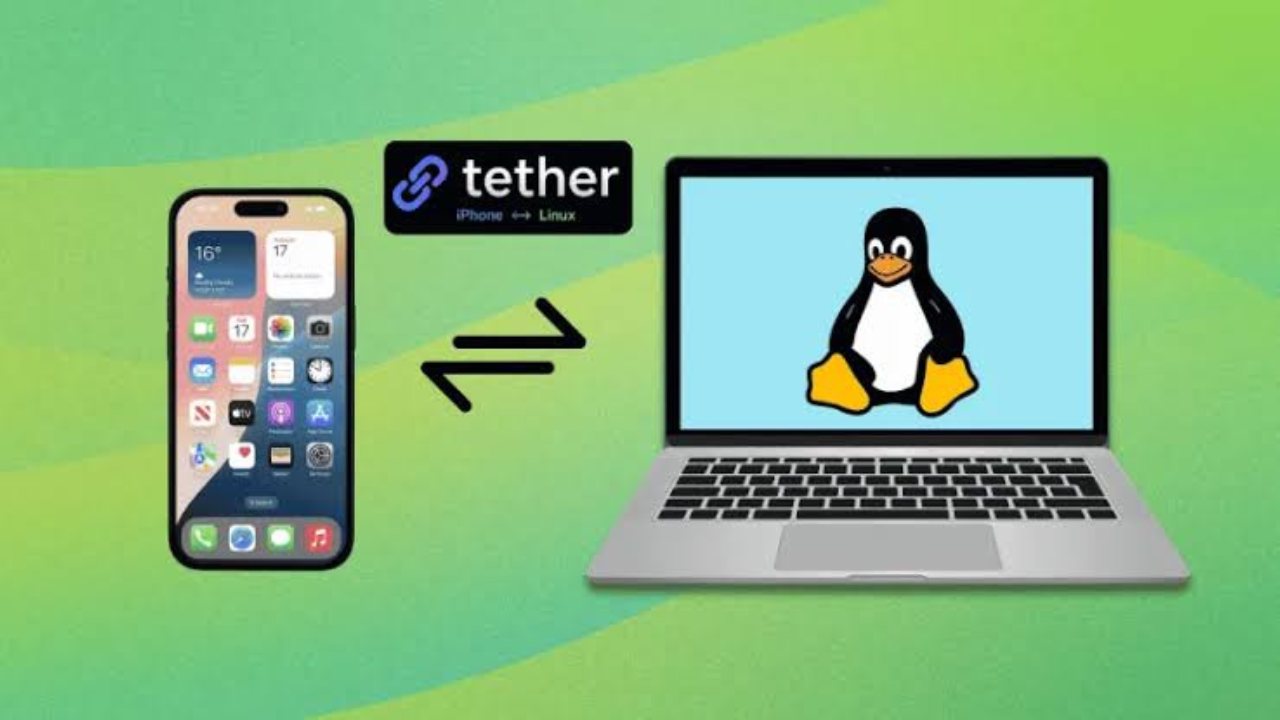
Linux users who carry an iPhone have long had to live without many of the easy connections that Apple provides between an iPhone and a Mac. A new open-source project called Tether is trying to close that gap by bringing several iPhone-to-desktop features to Linux.
Tether connects an iPhone with a Linux desktop and can sync the clipboard, transfer files, mirror notifications, and handle messages. It also includes tools for moving one-time passwords between the phone and Linux applications. The project does not require a Mac or a cloud account.
What is Tether?
Tether is an open-source project created by developer Zack Bartel for people who use Linux on their computers but still use an iPhone. Its goal is to reproduce parts of Apple’s Continuity experience that can technically be provided outside the Apple ecosystem.
Apple’s Continuity features allow an iPhone and Mac to work together in ways that can feel almost automatic. For example, users can copy text on one device and paste it on another, move files between devices, and handle messages from a Mac.
Tether takes a similar idea and connects an iPhone to a Linux Wayland desktop instead. It is not an official Apple product and cannot reproduce every Continuity feature because iOS places limits on what third-party applications can access.
Clipboard sharing is one of its main features
The simplest feature is shared clipboard support. Text copied on the iPhone can be made available on the Linux computer, and text copied on the Linux desktop can be sent to the iPhone.
This can be useful when moving small pieces of information between devices. A user could copy an address, short note, code or other text on the phone and then use it on the computer without sending it to themselves through email or another messaging service.
The Tether project currently lists clipboard synchronization as a stable feature.
File transfers work between the two devices
Tether also lets users move files between their iPhone and Linux computer.
Files can be sent from the Linux desktop to the iPhone, while files received from the phone can be placed in the Linux user’s download folder. The iPhone application also supports sharing files and other content through the iOS share sheet.
The current iPhone application has also received updates that allow users to share videos and contacts and send multiple photos at once.
For someone who regularly moves photos or documents between an iPhone and a Linux PC, this can remove some of the extra steps normally involved.
Messages and notifications bring Tether closer to Continuity
The project has gone beyond simple file sharing. Tether now includes support for SMS and iMessage as well as notification mirroring, although these features are listed as beta rather than stable.
That means users can potentially read and reply to messages from the Linux desktop while the iPhone remains connected.
Notifications can also appear on the Linux side, reducing the need to repeatedly pick up the phone while working.
The feature is particularly interesting because Linux does not have an official Apple-supported way to access iMessage. Tether works through the iPhone rather than requiring users to install a Mac as a bridge.

Main features available in Tether
The project has grown considerably from its original clipboard-sync purpose.
- Clipboard synchronization between iPhone and Linux
- File transfers in both directions
- SMS and iMessage access, currently in beta
- Notification mirroring and contact synchronization
The project also supports browser and mail extensions for handling one-time passwords, adding another layer of integration between the phone and Linux desktop.
One-time passwords can move to the Linux browser
One of Tether’s more unusual features is its focus on one-time passwords, often called OTP codes.
These are the short verification codes that websites and services send when users sign in or confirm an account. Tether is designed to help move those codes from the iPhone to the Linux computer.
The project includes browser and mail extensions. The browser extension can place OTP codes into login forms, while the mail extension can detect verification codes in incoming messages and pass them to Tether.
This is similar to the small convenience that many Apple users experience when verification codes can be suggested automatically while logging in.
How Tether connects the iPhone and Linux
Tether uses several components rather than a single application.
The Linux side includes a background program called tetherd, a command-line tool and a GTK4 desktop application. The iPhone side uses a native iOS application.

The iPhone application can discover the Linux computer using Bonjour or mDNS, so users do not normally have to type an IP address manually. The system uses a secure mutual TLS connection, meaning the two devices authenticate each other before communicating.
The project’s design also focuses on local communication rather than sending normal device data through a third-party cloud service. The App Store listing says the connection operates over local Wi-Fi and does not require an account or cloud server.
What Linux users need
Tether is aimed mainly at Linux users running a Wayland desktop. Its project documentation lists support for Wayland compositors using the wlr-data-control protocol.
That means it is not simply a universal Linux application that works identically on every desktop setup.
| Requirement | Current information |
|---|---|
| Phone | iPhone |
| Linux display system | Wayland |
| Desktop integration | GTK4 application and background daemon |
| iPhone discovery | Bonjour/mDNS |
| Connection | Local network with mutual TLS |
| Clipboard sync | Stable |
| File transfer | Stable |
| Messages | Beta |
| Notifications | Beta |
| Browser/mail extensions | Available |
The exact experience can depend on the Linux distribution, desktop environment and Wayland compositor being used.
Tether is not a complete replacement for Apple’s Continuity
Despite the comparison with Apple Continuity, Tether cannot reproduce every Apple feature.
iOS gives third-party applications limited access to parts of the operating system. The project’s own design document notes restrictions around things such as SMS access and background activity. These limits affect what Tether can do and how reliably certain functions can operate.
Apple also controls features such as AirDrop, Handoff and other deep system integrations. Tether therefore focuses on functions that can be achieved through available iOS interfaces and communication methods.
The developer describes the goal as supporting the parts of Continuity that are technically possible on Linux rather than claiming to duplicate Apple’s entire system.
Tether vs traditional Linux phone integration
Linux already has tools for connecting smartphones to computers. KDE Connect, for example, can provide features such as file sharing, notifications and other device controls.
Tether has a narrower focus. It was created specifically around the needs of people using an iPhone with Linux, including features such as iMessage, SMS and OTP handling that are not normally part of a standard Linux-to-phone setup.
That makes the project particularly interesting for users who have moved away from macOS but do not want to give up their iPhone.
The project is still developing
Tether began as a smaller project focused on clipboard synchronization and has expanded into a much larger collection of features. The developer says the project started after moving to Linux and missing the convenience of Apple’s Continuity system.
Some features are stable, while others remain in beta or are still being developed. The project also continues to receive updates on its iPhone application.
This means users should expect some features to change as development continues.
A useful bridge for iPhone and Linux users
Tether does not make Linux behave exactly like macOS, but it addresses one of the biggest frustrations for people who use an iPhone with a Linux computer: the lack of deep integration between the two.

Clipboard sharing, file transfers, messages, notifications and OTP handling can remove several small annoyances from everyday use. The fact that the system works without requiring a Mac also makes it different from solutions that depend on Apple’s desktop hardware.
For Linux users who prefer an iPhone, Tether could become a useful bridge between the two platforms. Its biggest limitation is also clear: Apple controls much of iOS, so there are limits to how closely any third-party project can reproduce Continuity.
Still, the project shows that an iPhone and Linux PC do not have to remain completely separate devices. With the right software, several of the everyday conveniences normally associated with Apple’s ecosystem can now be brought to the Linux desktop.