
 Join WhatsApp
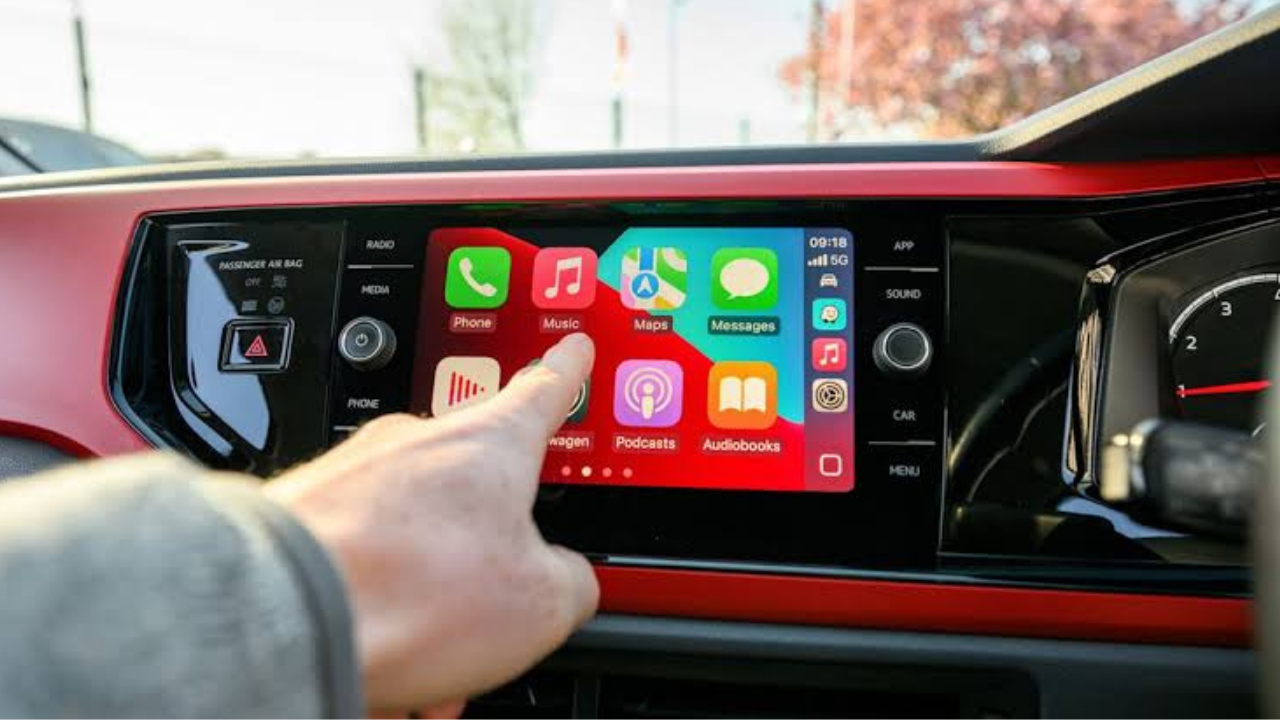
Apple is giving CarPlay another major update with iOS 27. The new software expands what CarPlay apps can do, adds better controls for music and voice-based apps, and gives navigation apps more ways to work with the car’s built-in systems.
Unlike the larger visual changes introduced with iOS 26, iOS 27 is more focused on making CarPlay smarter and giving developers more tools. Some of the new features will also depend on whether the car supports them.
iOS 27 expands what CarPlay can do
Apple says iOS 27 brings new capabilities across CarPlay app categories. The update is designed to let drivers use more useful information and services from their iPhone without needing to pick up the phone while drive.
CarPlay already supports navigation, music, podcasts, messaging, phone calls and other driving-focused apps. With iOS 27, Apple is expanding the system further by adding video browsing for supported cars, broader voice-app support and new controls for navigation and media.
The goal remains the same: keep important iPhone features available through the car’s screen and controls while the driver stays focused on the road.
Video apps are coming to CarPlay when parked
One of the most noticeable new features is support for video browsing in compatible cars.
Apple says iOS 27 allows supported CarPlay video apps to provide a browsing experience on the car’s display. However, this feature is designed for situations when the vehicle is parked. Drivers will not be able to watch videos while driving.
This could be useful while waiting for someone, sitting at a charging station or taking a break during a trip. Apps that support AirPlay video can also take advantage of the feature when the vehicle supports video playback.

The important point is that this is not a way to turn CarPlay into a video screen while driving. Apple is specifically limiting the experience to supported vehicles when the car is not being driven.
A new MiniPlayer makes music easier to control
iOS 27 also adds a new MiniPlayer to CarPlay.
The MiniPlayer gives drivers a quick view of what is currently playing without taking over the main CarPlay screen. On larger displays, it can also provide controls for actions such as playing, pausing and skipping tracks.
This is useful because drivers often want to change music while navigation information remains visible. Instead of switching completely to a music app, the MiniPlayer provides basic controls while keeping other information accessible.
Apple says apps that use the Now Playing system will automatically show the MiniPlayer unless the app developer chooses not to use it.
Voice control is expanding to more CarPlay apps
Apple is also making its voice controls available across all CarPlay app categories.
Previously, Apple’s voice-based conversational app support was more limited. With iOS 27, developers can use the Voice Control template across all CarPlay app categories. The interface can show the current state of a voice conversation with a prompt and animated indicator.
This could make voice interaction more useful in the car. Instead of relying only on traditional voice commands, supported apps can create their own voice experiences while still using an interface designed for driving.

The change is especially important because CarPlay is built around hands-free interaction. Apple says CarPlay is designed so people can complete important tasks without taking their iPhone out of their pocket.
Navigation apps get more control
Navigation is another major area receiving improvements in iOS 27.
Apple is giving navigation apps more control over the main map interface. Developers can also use new route-sharing features to coordinate route information with supported vehicles.
This could help third-party navigation apps work more closely with a vehicle’s own systems. Depending on the car, navigation information can also appear on the instrument cluster or head-up display.
The exact experience will vary by vehicle because the car manufacturer must support the necessary CarPlay features.
CarPlay can work with more types of apps
Apple is also expanding the types of apps that can work with CarPlay.
The company already supports audio, communication and navigation apps. iOS 27 adds video browsing in supported cars and expands voice-based conversational apps. CarPlay also supports widgets and Live Activities, allowing apps to provide timely information without requiring the user to open the full app.
This gives developers more ways to present useful information while keeping the interface focused on driving.

Some of the key additions include:
- Video browsing when the vehicle is parked and supports the feature
- A new MiniPlayer for music and other Now Playing apps
- Voice Control support across all CarPlay app categories
- More navigation tools, including route sharing with supported vehicles
What iOS 27 changes for everyday drivers
For most drivers, the biggest changes will depend on which apps they use and what their vehicle supports.
Someone who mainly uses Apple Maps, Apple Music and Messages may notice the MiniPlayer and improved navigation features. A person who uses third-party navigation or voice apps could benefit more from the expanded developer tools.
The video feature is likely to be less important during normal driving because it is intended for parked situations. Still, it could be useful for people who spend time waiting in their vehicles.
| iOS 27 CarPlay feature | What it does | Vehicle support needed |
|---|---|---|
| MiniPlayer | Shows and controls currently playing media | Standard CarPlay support, with some features depending on display |
| Video browsing | Lets users browse supported video apps while parked | Yes |
| Voice Control template | Gives more CarPlay apps their own voice interface | Supported app |
| Navigation improvements | Gives navigation apps more control over the CarPlay map area | Supported navigation app |
| Route sharing | Allows route information to be shared with supported vehicle systems | Yes |
| Widgets and Live Activities | Shows useful information at a glance | Supported app |
iOS 27 does not mean every car gets every feature
This is an important detail for CarPlay users.
Apple’s software can add new capabilities, but the vehicle itself must support certain features. CarPlay works with many different screen sizes, control systems and vehicle layouts, so the experience is not identical .
The same applies to video playback. Apple says CarPlay video apps work in cars that support the video-in-car feature. Automakers need to provide the required support before drivers can use it.
Navigation features can also depend on the vehicle’s ability to accept route information and display guidance in places such as the instrument cluster or head-up display.

The bigger CarPlay picture
Apple has been gradually making CarPlay more deeply connected to the car rather than treating it as simply an iPhone screen projected onto the dashboard.
The previous iOS 26 update brought a redesigned CarPlay interface, compact incoming-call controls, Tapbacks and pinned conversations in Messages, widgets and Live Activities.
Apple is continuing that direction in iOS 27 by giving apps more ways to interact with the vehicle and by supporting more kinds of content.
CarPlay Ultra goes even further by extending the iPhone experience across a vehicle’s screens, including the instrument cluster. Apple says vehicle functions remain powered by the car’s built-in system, while CarPlay Ultra provides a unified interface across supported displays.
When will the new CarPlay features arrive?
iOS 27 is currently in beta testing. Apple released iOS 27 beta 7 on August 24, 2026, and the company says iOS 27 is coming this fall.
That means the final CarPlay experience could still change before the public release.
Some features will also arrive gradually because they require updates from automakers or app developers. Installing iOS 27 alone does not guarantee that every new CarPlay feature will immediately appear in every vehicle.
Final thoughts
iOS 27 is making CarPlay more capable without changing its main purpose. Apple is adding more ways to interact with apps while keeping the experience focused on driving.

The new MiniPlayer should make music controls easier to access, while expanded voice support could make third-party apps more useful without touching the phone. Navigation apps are getting more control, and video browsing gives passengers something new to use when the vehicle is parked.
The most important limitation is compatibility. Some features require specific vehicle hardware or automaker support, so the CarPlay experience will continue to vary from one car to another.
Overall, iOS 27 looks like a meaningful step for CarPlay. Rather than simply adding another visual redesign, Apple is expanding what developers and automakers can build into the in-car experience while keeping the iPhone at the center of it.