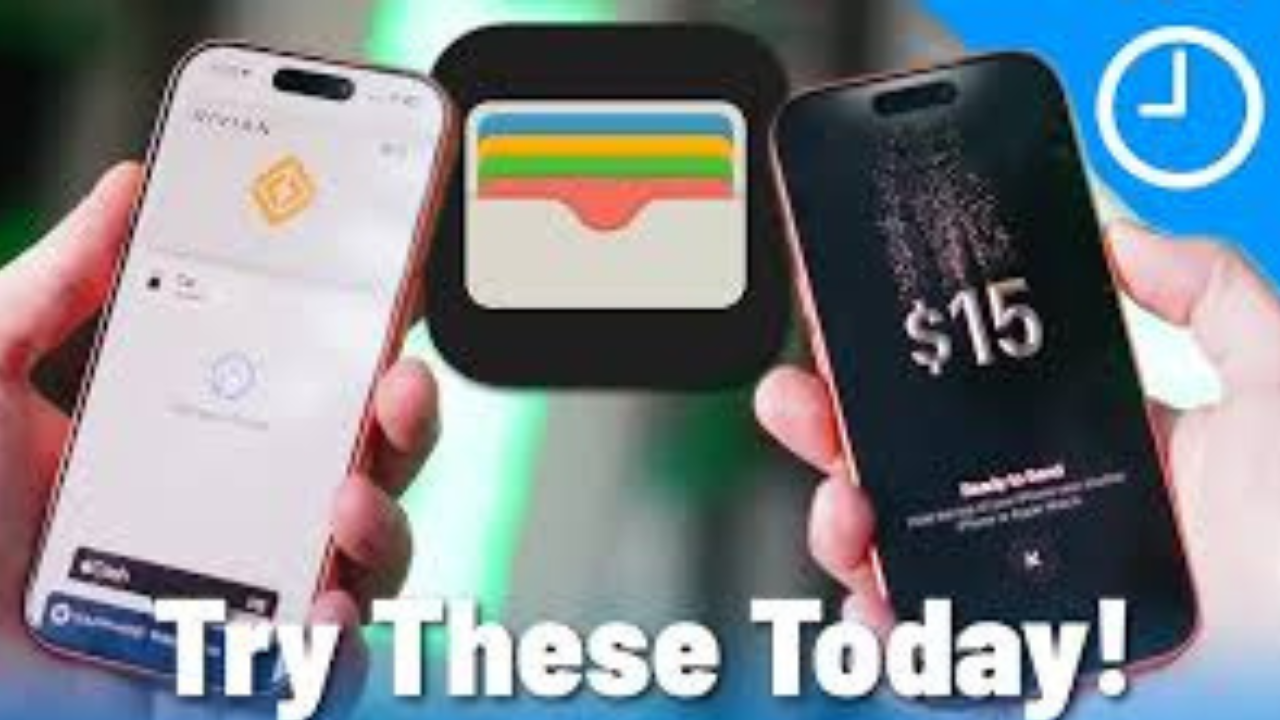
Apple Wallet is often seen as the place where you keep your credit cards and boarding passes. But the app can do much more than that. Depending on your country, device and the services you use, Wallet can also store digital keys, IDs, loyalty cards, transit passes and tickets, while newer features can even track online orders.
Some of these tools are easy to miss because they only work with participating banks, stores, airlines, hotels, car makers, transit systems or government agencies. Here are 10 Apple Wallet features that are worth checking out.
1. Use Express Mode without unlocking your iPhone
Express Mode is one of the most useful Wallet features for everyday travel and access. With a supported card, pass or key, you can simply hold your iPhone or Apple Watch near a compatible reader without opening Wallet or authenticating with Face ID, Touch ID or your passcode.
It can work with supported transit cards, student IDs, car keys, hotel keys and other eligible passes. Some compatible items can also work for up to five hours after your iPhone needs to be charged, thanks to power reserve. This does not work if you manually turn the iPhone off.
For something you use several times a day, such as a transit card, avoiding the unlock-and-search process can make a noticeable difference.
2. Turn your iPhone into a hotel room key
If you stay at a participating hotel, you may be able to add your room key directly to Apple Wallet.
Once it is available, your iPhone or Apple Watch can be used to unlock your room and, depending on the hotel, other areas such as a fitness center or pool.
The key can also be updated when your reservation changes. At some participating hotel brands, repeat guests can have a Wallet key that works across upcoming stays. Availability depends on the hotel and its support for Apple’s digital hotel key system.
This can be especially handy when you arrive at a hotel and want to go straight to your room instead of searching for a physical key card.
3. Use your iPhone as a car key
Apple Wallet can store digital car keys for compatible vehicles.
Depending on the car and manufacturer, the key can let you unlock the vehicle, start it and open the trunk. Some supported vehicles also offer additional controls.
You can also share certain digital car keys with family or friends. The owner can control who receives access and, on supported systems, adjust permissions for other drivers.
This feature requires a compatible car, so it is not something every iPhone owner can use. But if your vehicle supports it, Wallet can remove one more physical item from your keychain.
4. Track your online orders in Wallet
Apple Wallet can now do something many people may not expect from a digital wallet: track online purchases.
Eligible orders can show information such as the order number, payment status, delivery status and estimated arrival time. You may also be able to contact the merchant from Wallet.
With iOS 26, Apple Intelligence can also identify eligible order information from emails in the Mail app and organize it in Wallet. This means the purchase does not necessarily have to be made using Apple Pay for order tracking to work.
The feature depends on supported merchants and compatible devices and settings.
5. Add loyalty and rewards cards
Your physical loyalty cards do not always need to stay in your wallet.

Eligible coffee shops, retailers, stores and other businesses can provide loyalty or rewards cards that can be added to Apple Wallet. You can then present the card from your iPhone or Apple Watch when you shop.
This can help keep frequently used membership and rewards cards in one place.
Some eligible rewards programs can also work alongside Apple Pay, allowing rewards to be used during checkout. The exact options depend on the card issuer and participating merchant.
6. Keep your boarding pass more useful than a simple barcode
A boarding pass in Wallet is more than a digital version of the paper pass.
Supported airline boarding passes can provide flight information and updates. Apple’s newer Wallet experience can also connect flight information with Maps and Find My, while some boarding passes support flight tracking and sharing with friends or family.
That means the person picking you up at the airport may be able to follow your flight without you sending repeated messages about delays or arrival times.
Not every airline offers every feature, so the experience can differ from one boarding pass to another.
7. Share eligible tickets and passes
If you have an eligible event ticket, boarding pass or other Wallet pass, you may be able to share it with another person.
The sharing option appears only when the issuer allows it. Some passes can be shared through Apple’s supported sharing methods, while others cannot be transferred because of the rules set by the company that issued them.

This is useful when you receive several tickets for a family member or friend and want to send their ticket without forwarding a long email.
8. Store supported IDs in Wallet
In places where the feature is supported, Apple Wallet can store certain government-issued IDs.
Apple currently supports eligible driver’s licenses and state IDs in supported U.S. locations. Apple also offers a Digital ID created from a U.S. passport for supported identity checks, including eligible TSA checkpoints for domestic travel.
There is an important limitation: a digital ID is not a replacement for every physical government document. Acceptance depends on the location and organization checking the ID.
For travelers, that distinction matters. A feature working at a supported airport checkpoint does not mean it can be used for international border crossings.
9. Use Wallet for public transit
Apple Wallet can store supported transit cards, allowing you to use an iPhone or Apple Watch at compatible transit readers.
Depending on the transit system, you may be able to add money, check your balance and use Express Mode to pass through gates without unlocking your device.
This can be much faster than opening a transit app every time you need to ride.
The catch is that transit support varies by country and city. Your local transit operator needs to support Apple Wallet for this feature to work.

10. Use a digital home key
Apple Wallet can also work with compatible smart locks.
With a supported home key, you can use your iPhone or Apple Watch to unlock your front door. Some compatible home keys can use Express Mode, so you may be able to unlock the door simply by holding your device near the lock.
Like car and hotel keys, this requires compatible hardware. It is not a feature that can be added to an ordinary lock without a supported smart-lock system.
Which Wallet features are available to you?
Not every Apple Wallet feature works everywhere. Support can depend on your country, bank, iPhone model, version of iOS and the company providing the service.
| Feature | What you can use it for | Main limitation |
|---|---|---|
| Express Mode | Transit, keys and eligible passes | Requires a supported card, pass or key |
| Hotel key | Room and hotel access | Participating hotels only |
| Car key | Unlocking and starting a vehicle | Compatible vehicles only |
| Order Tracking | Delivery and purchase updates | Participating merchants and supported orders |
| Loyalty cards | Rewards and membership cards | Issuer must support Wallet |
| Boarding passes | Travel and flight information | Airline support varies |
| Pass sharing | Sending eligible tickets and passes | Issuer must allow sharing |
| IDs | Identity or age checks in supported places | Limited locations and authorities |
| Transit cards | Paying fares and entering transit systems | Supported transit systems only |
| Home key | Unlocking compatible smart locks | Requires compatible lock |
This is why two people with the same iPhone can see different Wallet options. Apple provides the technology, but many features depend on outside organizations supporting it.
A few settings are worth checking
If you rarely open Wallet, some of these features may remain hidden until you receive a supported card, pass or order.
Check your Wallet and Apple Pay settings to see which options are available on your device. If you regularly buy things online, the Order Tracking settings are particularly worth checking because eligible purchases can now be added from supported merchant transactions and, on compatible devices, from information found in Mail.
It is also worth checking the apps you already use. Airline, hotel, transit, retail and car apps may offer an “Add to Apple Wallet” option when their services are compatible.
Wallet is becoming more than a payment app
Apple has gradually turned Wallet into a place for much more than payments. A single app can now hold eligible cards, tickets, boarding passes, IDs, rewards cards, transit passes and digital keys. Newer features such as automatic order tracking are making the app useful even when you are not buying something with Apple Pay.

There is also more coming. Apple has announced additional Wallet features for iOS 27, including the ability to create passes from physical cards with barcodes and an enhanced hotel-key experience. Apple says these features are planned for later in 2026.
Final thoughts
Apple Wallet is easy to underestimate because its most familiar job is simply storing payment cards. But the app has quietly grown into a much broader digital wallet.
Express Mode can make transit and access faster. Hotel and car keys can reduce the number of physical keys you carry. Order Tracking can keep deliveries together, while loyalty cards, boarding passes, tickets and supported IDs can replace more items in your pocket.
The biggest limitation is availability. Not every feature works in every country, and many require support from a bank, airline, hotel, car maker, retailer, transit operator or government agency.
Still, it is worth opening Apple Wallet and checking what is available for you. You may find that your iPhone can already replace several cards, tickets and keys that you are still carrying around.