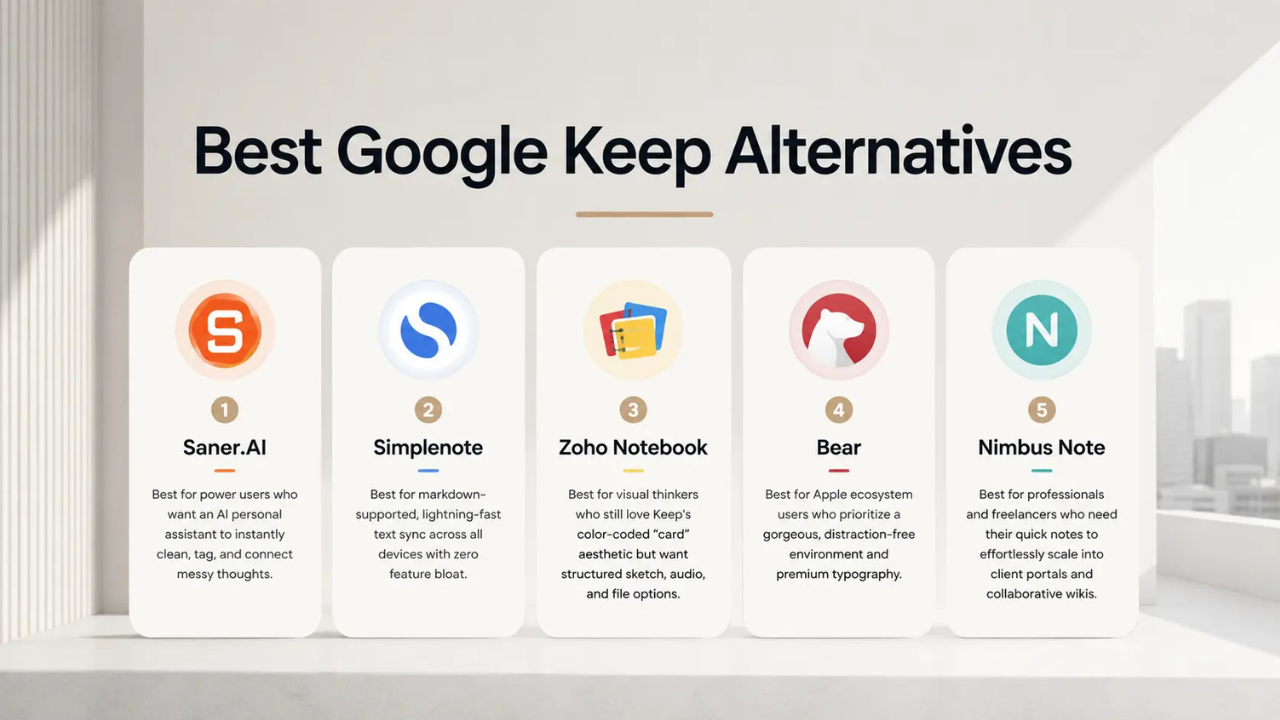
Google Keep is one of the easiest note-taking apps on Android. It is quick, simple, and works well for short notes, shopping lists, reminders, and random ideas. But its simple design can also feel limiting when you want to manage large amounts of information.
If you want better organization, long-form writing, stronger privacy, or more advanced tools, several Android apps are worth considering. Here are five alternatives that could be a better fit than Google Keep, depending on how you use your notes.
1. Microsoft OneNote
Microsoft OneNote is one of the strongest choices for people who want more structure than Google Keep provides. Instead of treating every note like a separate card, OneNote lets you organize information into notebooks, sections, and pages.
The Android app supports text formatting, images, audio notes, search, widgets, and quick notes. It also works across phones and computers, which makes it useful for people who switch between Android and Windows devices.
OneNote is especially useful for school, work, meetings, and projects. You can keep several types of information together instead of creating dozens of small notes.
It also supports digital ink, so users with a compatible stylus can write or draw directly in their notes. Microsoft has also added AI-related features to OneNote for supported users and plans.
The main downside is that OneNote can feel much more complicated than Keep. If you only want to quickly write down a phone number or grocery item, Keep is usually faster.

2. Obsidian
Obsidian takes a very different approach to note-taking. It is designed for people who want to build a connected collection of information rather than simply store individual notes.
Notes are stored as Markdown files, which means your written information can remain in a format that is easy to move and manage outside the app. On Android, users can store their vault on the device and use different methods to sync their notes between devices.
The biggest attraction is the way notes can be connected. You can link one note to another and gradually build a personal knowledge system.
Obsidian can work particularly well for writers, students, researchers, programmers, and anyone who keeps large amounts of information.
Its flexibility is also its biggest weakness. The app can take time to learn, and users who only need simple lists may find it unnecessarily complicated.
3. Joplin
Joplin is a good option for people who want an open-source note-taking app with strong control over their data. It supports notebooks, tags, Markdown, attachments, and note links.
The app is available on Android and other major platforms. Its syncing options include Joplin Cloud as well as services such as Dropbox, OneDrive, Nextcloud, and WebDAV.

Joplin also supports end-to-end encryption for synchronized data when the feature is configured and used as intended. This can make it appealing to people who care more about privacy than they do about having the simplest possible interface.
Another useful feature is its ability to import notes from other services, which can help people move an existing collection of notes into Joplin.
Some of the main reasons to consider Joplin are:
- Open-source software with strong control over your notes
- Markdown support for simple, portable formatting
- Multiple ways to synchronize notes between devices
- Support for notebooks, tags, attachments, and linked notes
The trade-off is that Joplin can feel less polished and less immediately simple than Google Keep. It is better suited to users who want control and organization rather than instant simplicity.
4. Simplenote
If you like the basic idea of Google Keep but want a cleaner text-focused experience, Simplenote is worth trying.
The app focuses on writing notes, creating lists, searching information, and keeping everything synchronized across devices. It supports tags and pinned notes, making it easier to organize a growing collection.
Simplenote also supports Markdown, which gives users a simple way to add formatting without dealing with a complicated editor.

Its biggest advantage is simplicity. You can open the app, write something, and move on without spending time setting up a complicated system.
| App | Best for | Main strength | Learning curve |
|---|---|---|---|
| Google Keep | Quick notes and lists | Fast and simple | Very low |
| OneNote | Work and school | Detailed organization | Medium |
| Obsidian | Knowledge management | Linked notes and local files | Medium to high |
| Joplin | Privacy and control | Open-source and flexible sync | Medium |
| Simplenote | Simple text notes | Fast syncing and clean design | Very low |
| Standard Notes | Private notes | Strong encryption and privacy | Low to medium |
Simplenote is not necessarily a better choice for everyone. If you need handwriting, complex layouts, or lots of media, another app will probably suit you better.
5. Standard Notes
Standard Notes is aimed at people who put privacy high on their list. The service uses end-to-end encryption for notes, meaning the contents are designed to remain private from the service provider.
The Android app supports note syncing across multiple devices, offline access, tags, note locking, and passcode or fingerprint protection. Its free version also supports unlimited notes and devices.
The app has a simple design, but it can grow into a more advanced writing and organization tool through its additional features.
Standard Notes is a particularly interesting alternative if your notes contain personal information, private writing, work details, or other material you would rather keep protected.
There is one important catch: some advanced editing and productivity features are part of the paid version. Users who only need basic private notes can still use the free version, but people wanting more powerful editors may need a subscription.

Which App Is Better for You?
There is no single note-taking app that is better than Google Keep for everyone. The right choice depends on what you expect from your notes.
If you mainly need quick reminders and short lists, Google Keep remains hard to beat because it gets out of the way. But once your notes become longer or more important, one of these alternatives can offer much more control.
OneNote is the strongest choice for organized work and school notes. Obsidian is better for building a large personal knowledge collection. Joplin is a good fit for users who want open-source software and flexible syncing. Simplenote is ideal if you want something simple and focused on text. Standard Notes stands out when privacy is the main concern.
Google Keep Is Still the Better Choice for Some People
It is worth remembering why Google Keep remains popular. You can open it and start writing almost immediately. Notes can be turned into checklists, reminders can be attached to them, and the app works naturally with other Google services.
That simplicity is valuable. A more powerful app is not automatically a better app if it makes simple tasks take longer.
The biggest reason to switch is therefore not that Google Keep is bad. It is that your needs may have grown beyond what Keep is designed to do.
Final Take
Google Keep is excellent for quick everyday notes, but Android users have plenty of alternatives when they need more.
Microsoft OneNote offers deeper organization, Obsidian provides a powerful system for connected knowledge, Joplin gives users more control over their data, Simplenote keeps things clean and simple, and Standard Notes focuses strongly on privacy.
For most users, the best approach is to choose the app that matches the way they actually take notes. If you rarely write more than a few lines, Keep may still be the easiest option. If you are building a large collection of notes, managing projects, writing regularly, or protecting private information, one of these five apps could be a much better fit.