
 Join WhatsApp
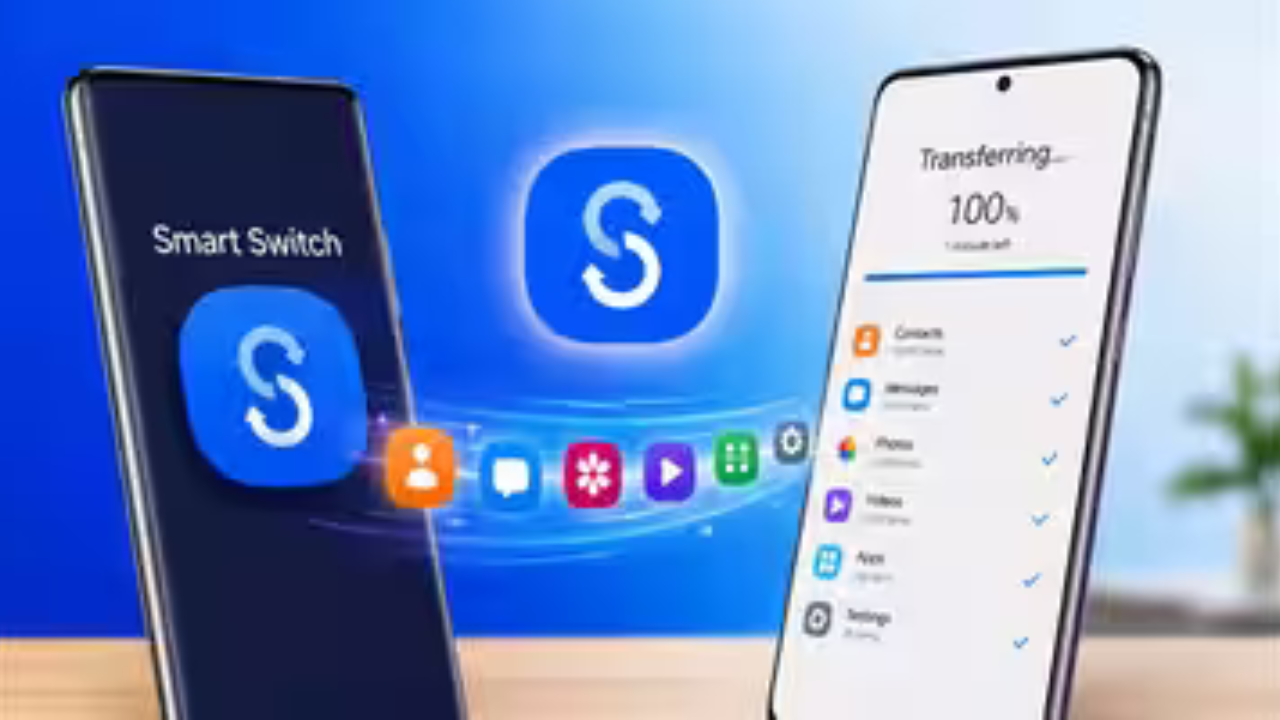
Moving from an iPhone to a Samsung Galaxy phone has traditionally meant dealing with cables, apps and several setup steps. Samsung is now making that process simpler with an upgraded Smart Switch experience in One UI 9.
The biggest changes are aimed at people moving from iOS to Galaxy. New Galaxy phones can start the transfer with a QR code, connect wirelessly and move more types of personal information, including passwords, passkeys, call history, accessibility settings and eSIM information. The updated experience is available with the latest Galaxy Z series and supported devices running the required software.
Smart Switch can now start with a QR code
One of the most noticeable changes is the way an iPhone connects to a new Galaxy phone.
Previously, moving data from an iPhone could involve installing Smart Switch on the iPhone or using a cable. With the updated system, users can scan a QR code shown on the new Galaxy phone and begin the wireless transfer.
This removes an extra step from the setup process. Instead of first searching for the right app and then working out how to connect the two phones, the Galaxy device guides the user through the connection.
Samsung says iOS users do not need to install the Smart Switch app separately on their iPhone when using this upgraded transfer method.
More personal data can move from iPhone to Galaxy
The most important improvement is not the QR code itself. It is the amount of information Smart Switch can now bring across.
Samsung says the updated system can transfer several types of data that were not previously supported in the same way during an iOS-to-Galaxy move.
These include:

- Passwords and passkeys
- Call history
- Accessibility settings
- eSIM information
For many people, this could make a bigger difference than moving photos and contacts. Re-entering passwords, setting up accessibility options and getting a mobile connection working can take time when setting up a new phone.
Passwords and passkeys could make setup much easier
Passwords are one of the most useful additions to the updated Smart Switch experience.
When people change phones, photos and contacts are usually easy to move. Passwords can be more difficult because they are often stored in a password manager or protected by the old device.
Samsung says supported passwords and passkeys can now be transferred from iOS to Galaxy using the updated Smart Switch process.
This does not mean every account will automatically be ready to use. Some services may still require additional verification or a fresh sign-in.
Still, having supported login information move with the rest of the phone can reduce one of the most annoying parts of switching devices.
eSIM transfer is another important addition
The updated Smart Switch can also transfer eSIM information in supported situations.
An eSIM is the digital version of a physical SIM card. Instead of inserting a plastic SIM into the phone, the mobile connection is stored electronically on the device.
Samsung says eSIM transfer availability can depend on the mobile carrier. It is therefore not safe to assume that every iPhone eSIM can be moved automatically to every Galaxy phone.

When supported, however, this can remove another setup task from the move to a new phone.
Accessibility settings can come across too
Accessibility settings are another addition that may not sound exciting but can be very important to some users.
People who rely on specific display, touch, text or other accessibility settings may have spent a lot of time adjusting their old phone. Having supported settings transferred can reduce the need to rebuild that experience from scratch.
Samsung has included accessibility settings among the additional data that can move from iOS to Galaxy with the upgraded Smart Switch system.
This shows that Samsung is trying to transfer more than just files. The goal is to make the new Galaxy phone feel ready to use sooner.
The transfer still supports photos, messages and contacts
Smart Switch already handled many of the things people care about most when changing phones.
Samsung’s current Smart Switch support includes transfers such as contacts, photos, videos, messages, calendars and other personal information. The exact content available can depend on the old device, operating system and transfer method.
For iPhone users, Samsung also provides options for bringing over information from iCloud when using the supported transfer process.
That gives users more than one way to recover information that may not be stored directly on the iPhone.
Wireless transfer is easier, but cables are still useful
The new QR-code method is designed to make wireless transfers easier. That is helpful because many people do not have the right cable or adapter nearby when they first open a new phone.
However, Samsung still supports wired transfers, and the company recommends using a wired connection when moving large or varied amounts of data at once.
| Transfer method | What it offers | Best use |
|---|---|---|
| QR code and wireless | Easy connection without a separate iOS app | Convenient phone setup |
| USB cable | Direct phone-to-phone transfer | Large or varied data transfers |
| iCloud import | Brings supported information from iCloud | Data that is stored in Apple’s cloud |
| PC or Mac backup | Backup and restore options | Keeping an additional copy of Galaxy data |
The best option depends on how much data you have and which devices you are moving between.
The software requirements matter
The upgraded iOS-to-Galaxy transfer system is not available on every older phone.
Samsung says the new method requires the Galaxy device to run Android 17 or later and One UI 9 or later, while the iPhone or iPad must run iOS 26.6 or later. Samsung also says the upgraded method is available outside mainland China.
That means someone with an older Galaxy phone or an older iPhone may see a different Smart Switch experience.
The types of data that can be moved can also vary depending on the operating system, device and connection method.
Samsung is also making file sharing easier
Smart Switch is not the only part of the switching experience that Samsung is updating.
Samsung says Quick Share has been enhanced to make file sharing between Galaxy and iOS devices easier. On supported devices, Quick Share can work with Apple’s AirDrop, allowing files to be shared between the two platforms.

This is separate from moving data to a new phone. Smart Switch helps with the initial migration, while Quick Share is designed for sharing files after the devices are already being used.
Samsung says the cross-platform Quick Share feature is initially supported on select devices, including the Galaxy Z Fold8 Ultra, Galaxy Z Fold8, Galaxy Z Flip8 and Galaxy S26, with support planned to expand.
What this means for people switching from iPhone
The changes remove several small problems that can make switching phones frustrating.
A person moving from an iPhone to Galaxy no longer needs to start by installing another app on the iPhone when using the new QR-code method. The connection can be made wirelessly, and more personal information can move across during setup.
The result is a transfer process that is closer to the idea of simply picking up where you left off.
There are still limits, though. Apple’s apps and services do not all have direct Android equivalents, and some app data may require separate setup. Samsung also makes clear that transfer support varies depending on the device, operating system and connection method.
Smart Switch is becoming a bigger part of the Galaxy experience
Samsung has been using Smart Switch for years as a way to help people move to Galaxy. The latest update shows that the company is focusing on the parts of a phone that are easy to forget when transferring data.
Photos and contacts matter, but so do passwords, call history, eSIM information, accessibility settings and the way the phone is set up.
That makes the upgrade particularly useful for people coming from iPhone. The easier it is to bring important personal information across, the less risky and time-consuming a move to Galaxy feels.

Final thoughts
Samsung’s updated Smart Switch is not a flashy feature, but it could be one of the most useful improvements for people buying a new Galaxy phone.
The QR-code setup removes an unnecessary step, wireless transfers make the process more convenient, and support for passwords, passkeys, call history, accessibility settings and eSIM information means more of the old phone can come along.
The feature still has requirements and limitations, especially around supported iPhone versions, Galaxy software and mobile carriers. But for users who meet those requirements, Samsung is making one of the most stressful parts of buying a new phone considerably easier.
For anyone moving from an iPhone to a newer Galaxy device, Smart Switch is now worth paying attention to before starting the setup process.