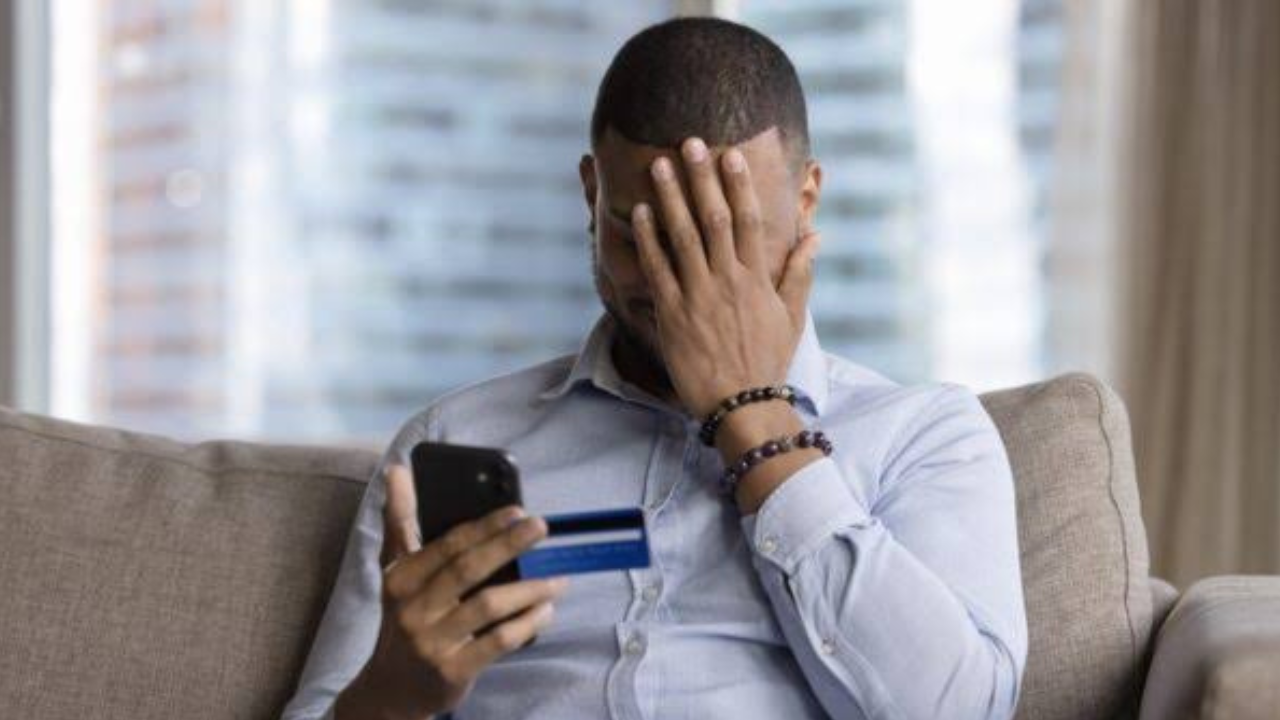
South Africans who use their phones for everyday banking are facing a growing fraud threat. The danger is not necessarily a problem with the banking apps themselves. Criminals are increasingly finding ways to take control of phones, steal banking information or trick customers into approving transactions.
Recent figures show why the warning matters. Digital banking crime in South Africa reached a record level in 2025, with reported client claim amounts rising to R2.41 billion. The number of reported digital banking crime incidents also reached 110,074.
Banking apps remain useful, but the phone is now a major target
Banking apps have become a normal way for South Africans to check balances, pay bills, transfer money and manage accounts. That convenience also means a stolen or compromised phone can give criminals access to a large amount of valuable information.
The problem is usually not that criminals have broken the bank’s app itself. Instead, they attack the customer through the phone, login details, fake websites, malicious software or social engineering.
Social engineering simply means manipulating someone into doing something that helps the criminal. A scammer may pretend to be a bank employee, create a sense of urgency and convince the victim to reveal information or install an app.
Recent reporting on South African banking security has also highlighted remote-access attacks. In these cases, malicious software can allow criminals to control a victim’s phone while the person is still using it.
The biggest warning signs to watch for
Criminals often start with a message, phone call or online advertisement. The message may claim that there is a problem with the customer’s account, that a payment needs to be approved or that a special offer requires an app to be installed.

The goal is to make the victim act quickly instead of stopping to check whether the request is genuine.
South African banking security guidance warns that customers should be especially careful when a message asks them to click a link, install an application or provide confidential banking information.
Common warning signs include:
- A message creates pressure by saying your account will be blocked or suspended.
- Someone asks for your banking password, PIN or one-time password.
- You are told to install an app using a link sent by SMS, email or social media.
- An unfamiliar app suddenly asks for permissions that do not make sense.
A genuine-looking message should not automatically be trusted. Criminals can copy bank logos, names and wording to make a scam appear legitimate.
Fake apps can create a serious problem
One of the biggest risks comes from applications that pretend to be legitimate services.
A fake app may look harmless when it is installed, but malicious software can attempt to collect passwords, banking details and other sensitive information. Some malware can also give criminals remote access to the phone.
The Banking Association of South Africa has warned about fake applications that imitate trusted services and recommends downloading apps only through official app stores.

Standard Bank has also warned that malware can arrive through unofficial websites, suspicious links, fake applications and unknown QR codes. Its banking app includes malware detection designed to alert customers when another application on the phone is behaving in a way that could put banking information at risk.
This is why installing an application from a link in a message can be much riskier than finding the official application through the normal app store.
Criminals can also target people directly
Not every banking crime starts with malware.
South African banks have reported cases in which criminals directly target banking customers through robbery, hijacking or short-term abductions. In some cases, victims are forced to open their banking apps and authorize transactions.
These cases are reportedly a relatively small part of overall fraud, but they show another weakness of phone-based banking: the device itself can become the key to accessing an account.
Customers should therefore think about phone security in the same way they think about protecting a bank card. A phone that contains banking apps, email accounts, authentication messages and personal information needs strong physical and digital protection.
What South Africans should do to reduce the risk
The safest approach is to make it difficult for criminals to get either the information or access they need.

A few simple habits can make a major difference:
| Risk | Safer approach |
|---|---|
| Fake banking app | Download the app only from an official app store |
| Suspicious SMS | Do not click its links |
| Fake bank employee | Never provide your PIN, password or OTP |
| Unknown software | Remove it and contact your bank if you are concerned |
| Compromised phone | Stop using banking services on the device until it is secured |
| Unexpected transaction | Contact the bank immediately |
Customers should also keep their phone’s operating system and banking apps updated. Security updates can fix known weaknesses and are an important part of keeping a device protected.
Banking customers should never assume that a message is genuine simply because it uses the bank’s name or appears professional. If something seems urgent or unusual, it is safer to contact the bank through a trusted number or official channel rather than using contact details supplied in the suspicious message.
What to do if you think your phone is infected
If a banking app warns that malicious software has been detected, the warning should not be ignored.
The first step is to stop using the affected phone for sensitive banking activity. The suspicious application should then be identified and removed safely. If the customer is unsure which application is responsible, contacting the bank before deleting anything can help prevent an important application from being removed by mistake.
Standard Bank’s current guidance tells customers with detected malware to remove the suspicious application and wait before signing into the banking app again. It also advises customers to keep the banking application updated.
If money has already been stolen or an unauthorized transaction has occurred, the bank should be contacted immediately. Acting quickly can give the bank a better chance of limiting further losses.

Why the latest crime figures are concerning
The scale of digital banking crime shows that this is no longer a problem that can be treated as a rare online nuisance.
Reported client claim amounts linked to digital banking crime rose from about R1.86 billion in 2024 to R2.41 billion in 2025, according to figures reported from South Africa’s banking fraud information body. The number of reported incidents also increased sharply, reaching 110,074 in 2025.
Banking apps accounted for the overwhelming majority of the reported digital banking crime investigations in those figures.
That does not mean banking apps are unsafe by themselves. In fact, banks continue to add security systems designed to detect suspicious behavior. The figures show instead how valuable smartphones and digital banking credentials have become to criminals.
The simple rule customers should remember
The most important lesson is that criminals often need the customer to help them.
They may need someone to click a link, install an application, disclose a password or approve a transaction. A convincing scam can therefore be just as dangerous as a technical attack.
Customers should be suspicious of unexpected requests involving banking information, especially when the request comes with pressure or asks them to install software.

A bank will not need a customer to reveal a confidential PIN, password or one-time password to prove their identity. Standard Bank specifically warns customers that they should not provide such information in response to suspicious calls or messages.
The bottom line
The warning for South Africans with banking apps is serious, but it does not mean people should stop using mobile banking. The bigger lesson is that the smartphone itself needs to be treated as part of the security system.
Keep banking apps and the phone updated, download applications only from trusted stores, avoid suspicious links and never share confidential banking information with someone who contacts you unexpectedly.
Most importantly, do not ignore an unusual warning from your banking app or phone. If something does not look right, stop and verify it through an official bank channel before taking any action. With criminals increasingly targeting the devices and people behind digital banking, a few seconds of caution can prevent a much bigger financial problem.